WPF & Game UI
Game Inventory
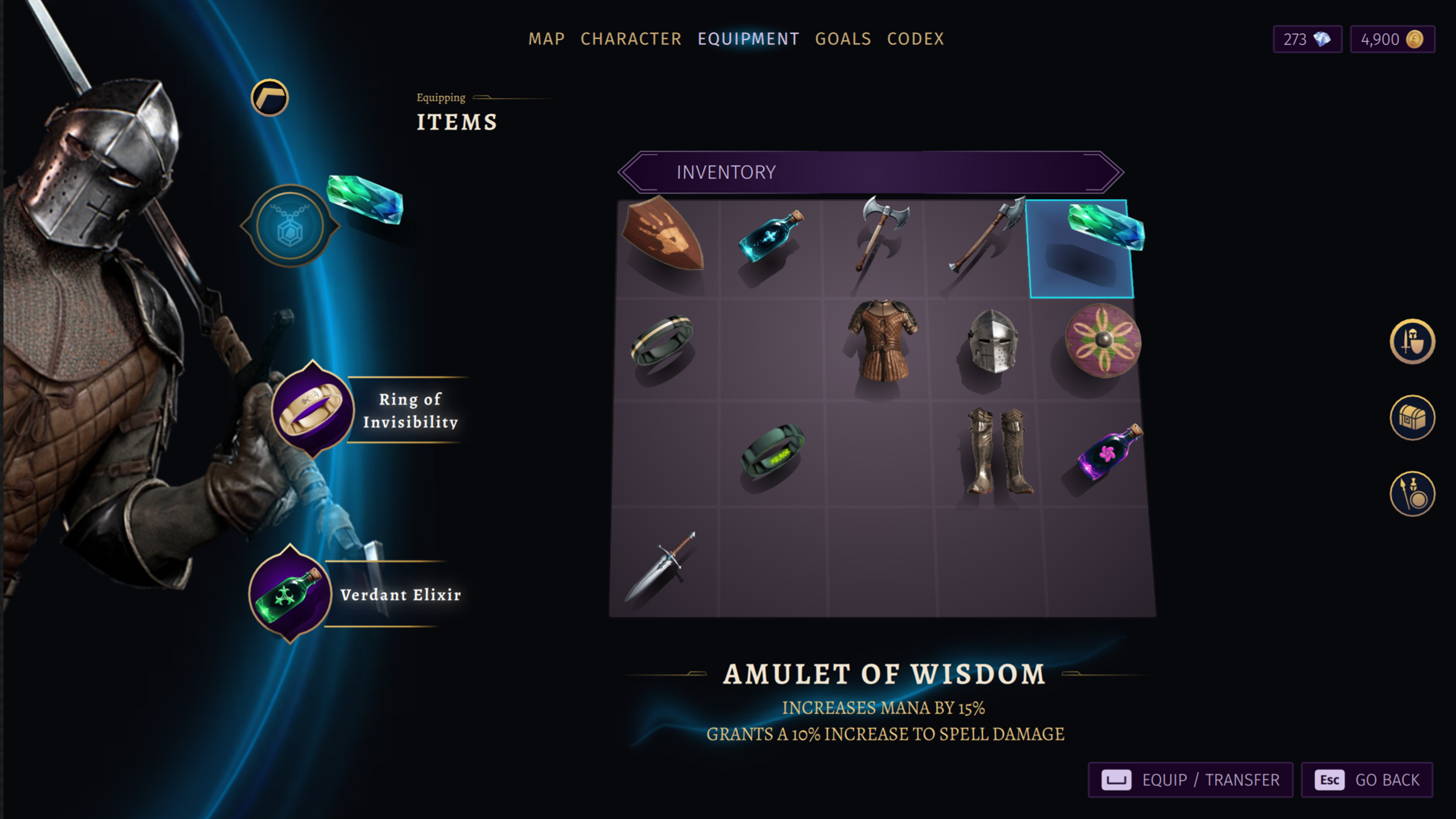
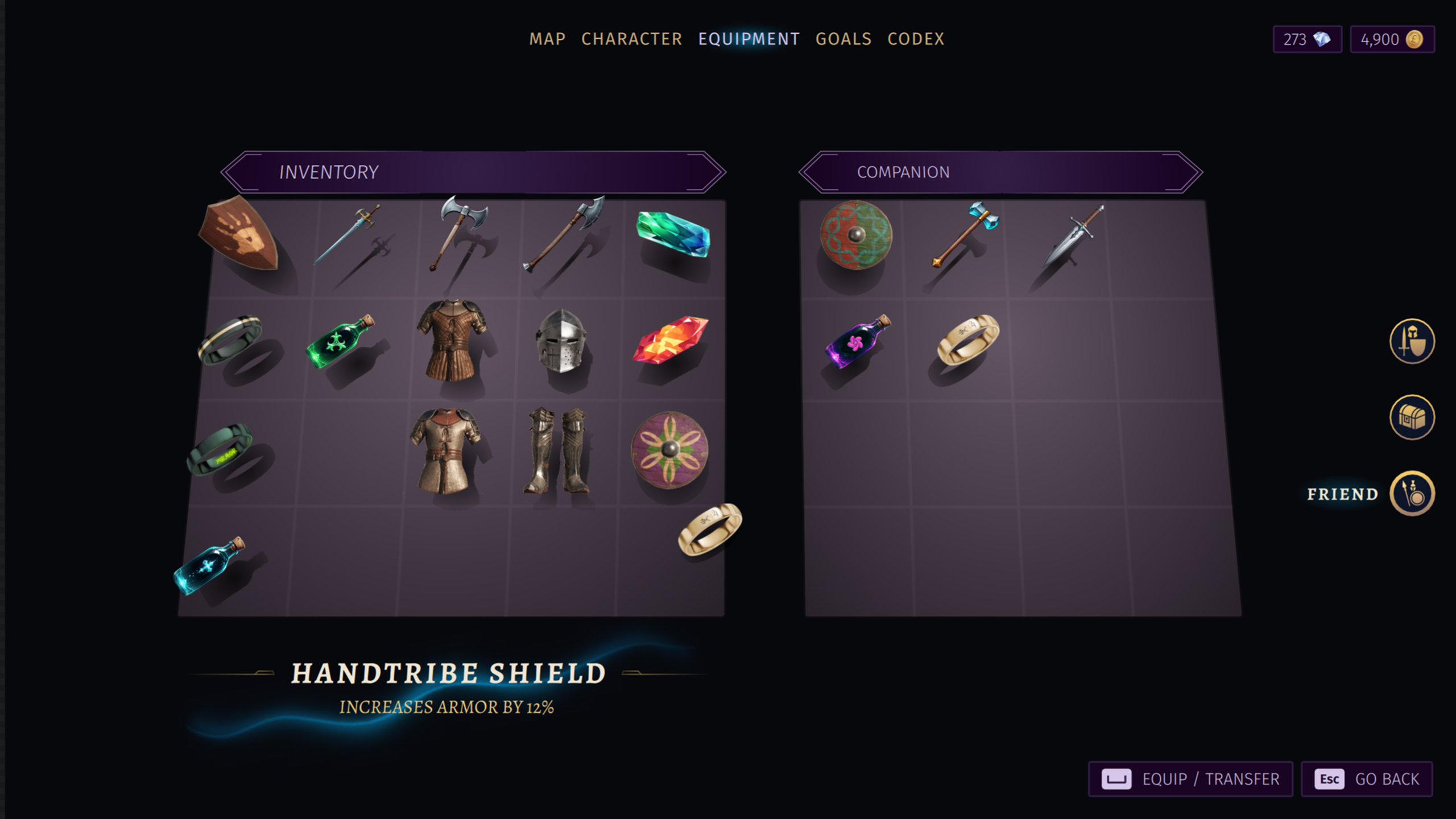
Game Inventory
Project overview
This is a technical demo sample intended to show a new drag and drop / quick swap feature, commissioned by a Game UI Middleware company.
My role
I was in charge of the whole process with full freedom, with time being the only constraint. I received some technical advice on keyboard and gamepad navigation from the Drag and Drop feature developer at the end. ( Brushbolt )
Process
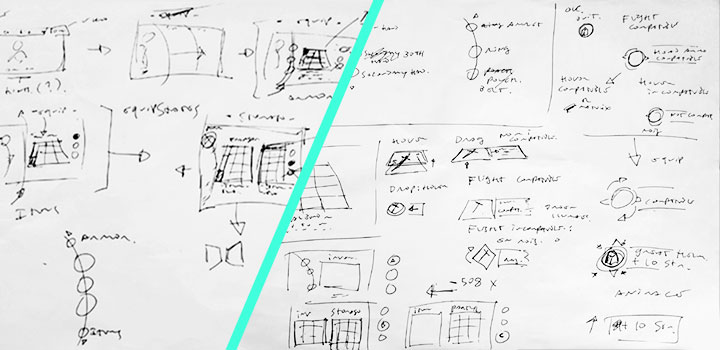
The process was pretty straightforward, I wanted to showcase a game inventory UI because it fit pretty well the use case for drag&drop / quick swap.
I started by creating numerous sketches and paper wireframes, and then developed a wire prototype in Figma with the most promising ideas.
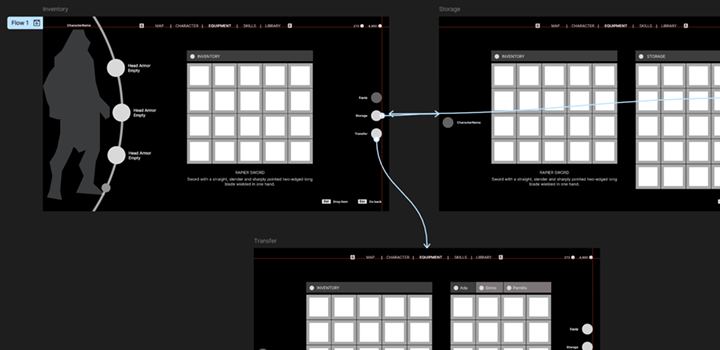
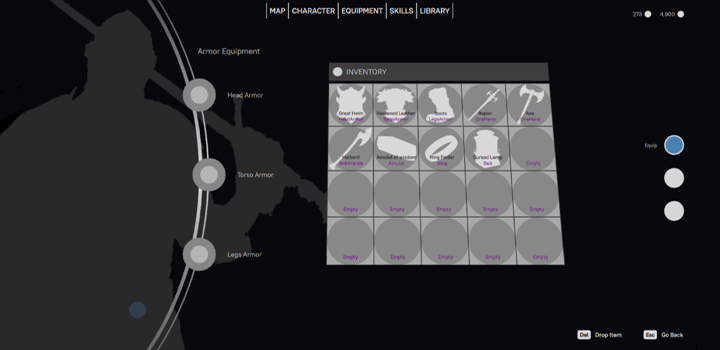
When I got the grid and the flow figured out, I recreated the prototype in Xaml / WPF to validate my technical ideas, for example a rotating radial setup for the equipment slots, and three differeent modes to move around the items ( storage, another player and equipment ).
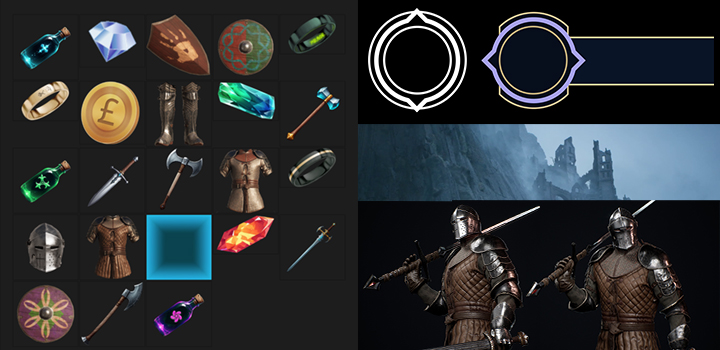
I created a basic mockup from the mood board, to list the assets and to create a color scheme. Then I bought some Unreal assets and used them for the weapons and armor. For the other items, I just fleshed out them with Procreate / Photoshop.
Finally, I assembled the layout, created the View Model, added some logic for the weapons slots ( the user can’t equip a two-handed weapon if a hand is already equipped ) and the visual states of the drag and drop targets.
It was an intense work, both creatively and technically.
Visit website